Before implementing yield features in your application, you’ll need to retrieve essential information such as APY rates, minimum deposit requirements, and other terms. This guide explains how to fetch this data using our API endpoints.
In the yield category, we encompass various passive income-generating activities in DeFi. This includes lending (where users earn interest by providing liquidity), investing in yield-generating vaults (which automatically compound returns), and staking (where users lock tokens to earn rewards).

Protocol Information

1

Get Available Protocols

First, retrieve the list of all supported protocols:
GET /strategies
The JSON body is { "data": [ …strategies ], "pagination": { … } }. Use pagination.hasMore, pagination.total, and pagination.totalPages to page through results. Query parameters include page and limit (default limit is 100). See the OpenAPI description for the full ListPagination shape.
2

Query Protocol Details

Then, fetch specific protocol information using:
GET /strategies/:id
Required Parameters:
ParameterDescriptionExample
:idStrategy IDAave-USDC-polygon
Example Request:
GET /strategies/Aave-USDC-polygon
Response includes:
  • Composite strategy ID (id) in the format {protocol}-{assetName}-{network}
  • Protocol branding (protocolInfo) — { name, logo } stored on each Strategy document in MongoDB
  • Network (chain) — { name, id, explorer, logo }
  • Tokens (assetToken, underlyingToken) — { name, address, symbol, decimals, logo? }
  • Current APY rate (apy) and historical APY (avgApy, inceptionApy)
  • Asset info (asset contract address, assetName, assetDecimals)
  • Protocol fee in basis points (fee)
  • Available actions (availableActions)
  • Pause status (paused)
Example Response:
{
  "id": "Aave-USDC-polygon",
  "protocol": "Aave",
  "protocolInfo": {
    "name": "Aave",
    "logo": "https://deframe-logos.s3.us-east-1.amazonaws.com/logos/aave.png"
  },
  "network": "polygon",
  "networkId": "137",
  "chain": {
    "name": "polygon",
    "id": 137,
    "explorer": { "name": "Polygonscan", "url": "https://polygonscan.com" },
    "logo": "https://deframe-logos.s3.us-east-1.amazonaws.com/logos/polygon.png"
  },
  "asset": "0x2791Bca1f2de4661ED88A30C99A7a9449Aa84174",
  "assetName": "USDC",
  "assetDecimals": 6,
  "assetToken": {
    "name": "USD Coin",
    "address": "0x2791Bca1f2de4661ED88A30C99A7a9449Aa84174",
    "symbol": "USDC",
    "decimals": 6,
    "logo": "https://deframe-logos.s3.us-east-1.amazonaws.com/logos/..."
  },
  "underlyingAsset": "0x2791Bca1f2de4661ED88A30C99A7a9449Aa84174",
  "underlyingDecimals": 6,
  "underlyingToken": {
    "name": "USD Coin",
    "address": "0x2791Bca1f2de4661ED88A30C99A7a9449Aa84174",
    "symbol": "USDC",
    "decimals": 6,
    "logo": "https://deframe-logos.s3.us-east-1.amazonaws.com/logos/..."
  },
  "apy": 0.0417,
  "avgApy": 0.0412,
  "inceptionApy": 0.0385,
  "paused": false,
  "fee": "0",
  "performanceFeeBps": "0",
  "availableActions": ["lend", "withdraw"],
  "marketData": {
    "tvl": "1000000000000",
    "tvlUsd": 1000000.0,
    "tvlChange24h": 0.012,
    "lastRefreshedAt": "2024-01-20T12:00:00.000Z"
  }
}
The fee and performanceFeeBps fields are in basis points (1 BPS = 0.01%). See Fees for the full fee structure and how markup fees work.

UI Integration Example

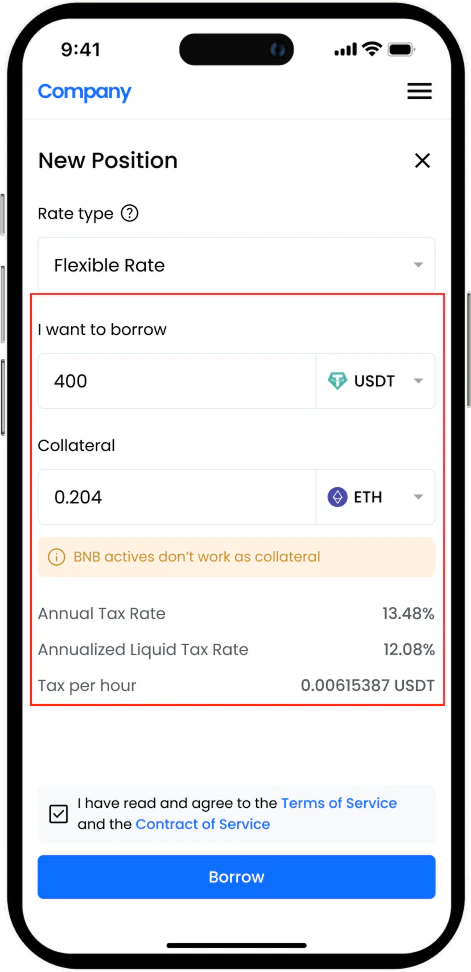
Protocol Selection UI Example UI implementation showing protocol selection

Next Steps

Deposit to Yield

Execute a deposit into a yield protocol

Check Positions

Monitor your yield positions